

Simple Privacy for Carers and Loved Ones
We’re pleased to share that the CallGenie “Do Not Disturb” button is now available.
Privacy matters — especially in care settings. Whether a loved one is receiving personal care at home or in a care facility, there are moments when a video call dropping in simply isn’t appropriate. The “Do Not Disturb” button gives carers a simple way to pause incoming calls while personal care is being delivered, and re-enable them the moment they’re done.
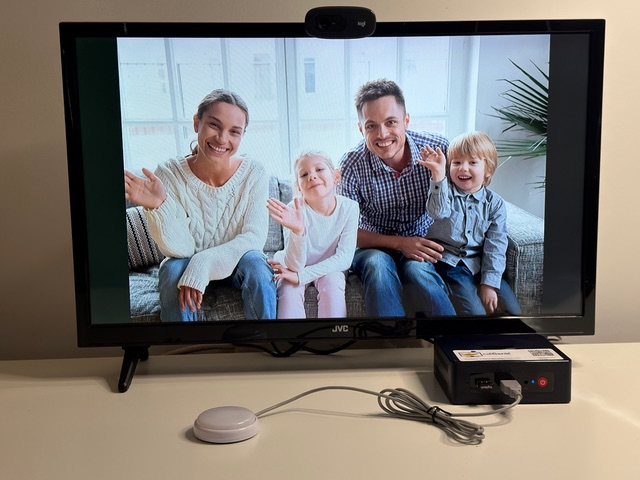
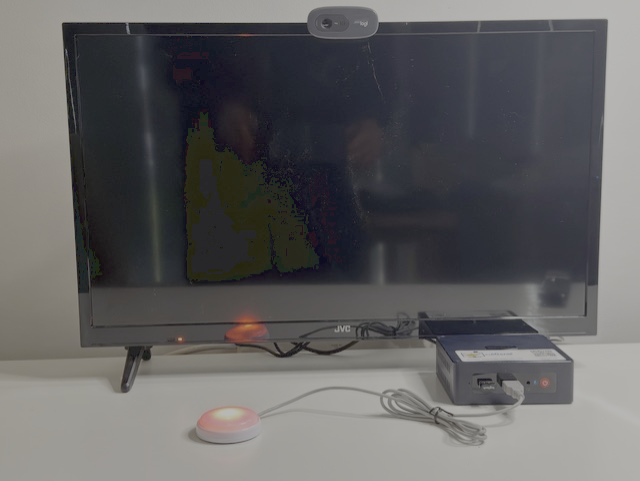
It couldn’t be simpler to use. When a carer enters the room, they press the button — it lights up red to show calls are paused. Once care is complete, they press it again, the light goes out, and incoming video calls are restored.
The “Do Not Disturb” button is available now as an optional extra, connecting directly into a spare USB port on the CallGenie Mini PC. It can be added to a new CallGenie order or purchased as an upgrade to an existing system.

Do Not Disturb Button – Designed for personal care situations
The “Do Not Disturb” button connects to the CallGenie system via USB. When pressed the first time it lights red and disables incoming calls. When pressed again the light goes off and the incoming calls are re-enabled.
It is designed primarily for carers and nursing staff to stop incoming calls while they are providing personal care in a domiciliary or care facility environment.

